

For individuals
Apply for the role that fits you
Browse events with their dates, places and each role’s pay, then apply and follow your request from your phone.
The full journey for individualsThe platform that connects companies with event staff
A company posts its event and the roles it needs. Individuals apply, sign their contract, do the work and track what they are owed. Every step is clear to both sides.
 Coming soon
 Coming soon
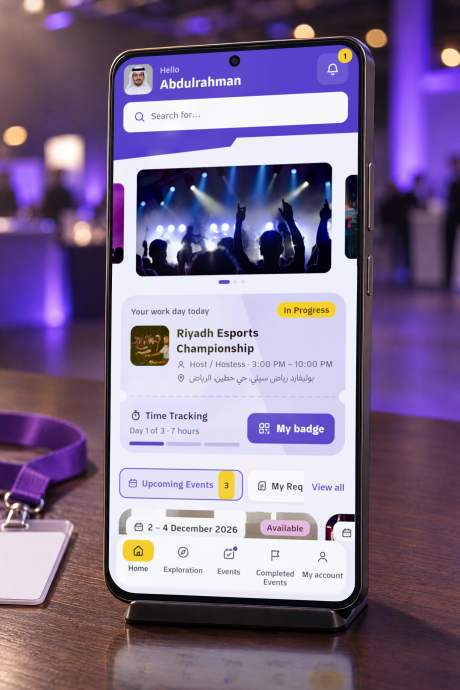
A company account and an individual account. Each side sees what concerns it.
For individuals
Browse events with their dates, places and each role’s pay, then apply and follow your request from your phone.
The full journey for individuals
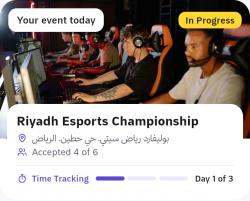
For companies
Set the roles, headcount, shifts and pay, receive requests and accept the people who fit.
The full journey for companiesFour steps from creating the event to getting paid.
It writes the details and sets the roles: headcount, shift, daily pay and requirements, and names the event supervisor.
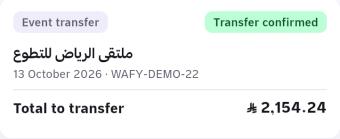
Wafy’s team reviews the event. The company pays by bank transfer and uploads the receipt in the app; once it is confirmed, the event is published.
Each person applies for a role at their level. The company sees their profile and level and accepts who fits.
A badge with a QR code and a team chat with the supervisor. After the event: attendance, ratings both ways, and a payout with its receipt.
From the first request to the last receipt, all inside the app.
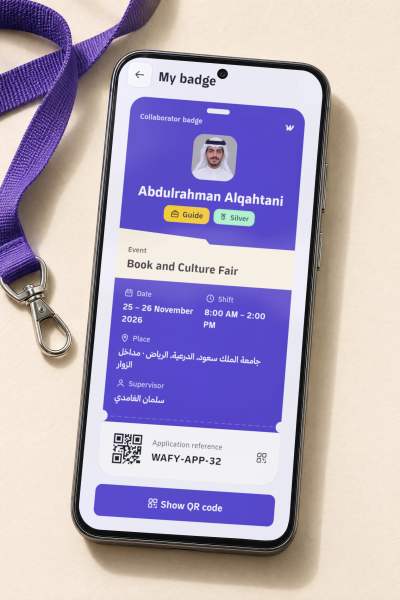
Your name, role, event, shift and supervisor on one badge, with a QR code that carries your application reference. Any phone camera reads it.
The supervisor opens it for accepted collaborators: text, emoji and voice notes. It closes after the event and stays readable.



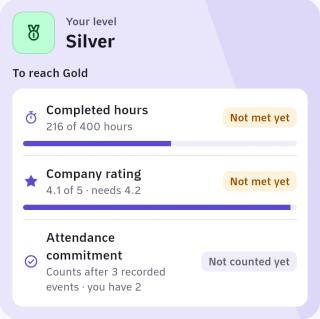
You move up with your completed hours, companies’ ratings and your attendance commitment. Each level opens more roles.
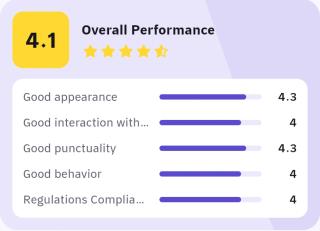
After each event the company rates its collaborators on five points, and each collaborator rates the company.
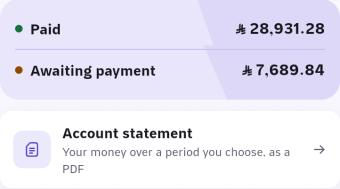
Companies upload their transfer receipt; collaborators see the receipt of their payout. The account statement downloads as a PDF for any period.
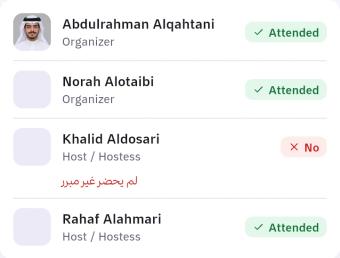
No registration and no password: a one-time code by text message. The supervisor then runs the chat and records the team’s attendance once, after the event.
Wafy is an intermediary platform that connects companies organizing events with the individuals who work their roles, such as organizers, hosts and guides. It is operated by Wafi1 Establishment (Wafi One), based in Riyadh.
Yes, in your browser at app.wafione.sa. The mobile apps are coming soon to the App Store and Google Play.
A Saudi mobile number verified by a one-time code, then your personal, education, professional, health and bank details, and your documents such as your ID and certificates. Wafy’s team reviews the documents, and you sign your contract in the app.
The company registers and uploads its commercial register and documents, then creates the event and sets its roles and supervisor. Wafy’s team reviews it, and once the transfer receipt is confirmed the event appears to individuals.
There are no card payments in the app at the moment. The company transfers the amount to Wafy’s bank account and uploads the receipt in the app. Wafy pays each collaborator through STC Bank to their registered mobile number after the event ends and its amount is received, and the receipt shows in their account.
A person the company names, with a phone number. The supervisor signs in with that number and a one-time code, opens the team chat, and records attendance after the event ends.
Create your account as a company or as an individual. The mobile app is on its way.
Coming soon Coming soon